Build a trading software stack for data, research, execution, risk control, and review—without paying for overlapping tools or forcing one platform to do everything.
Quick Answer
A complete trading software stack must cover five responsibilities: market data, idea development, strategy testing, order execution, and post-trade review. You may use one platform for several responsibilities, but no trader needs every available scanner, charting package, or analytics subscription. Start with the smallest stack that supports your actual strategy and add software only when you can identify a specific workflow gap. The main limitation is that requirements vary by market, holding period, data frequency, and whether your decisions are systematic or discretionary.
Key Takeaways
- Choose software by responsibility, not by the length of its feature list.
- Your market, timeframe, and decision process determine which tools are essential.
- Verify data coverage and order behavior before relying on any platform.
- Keep research and execution assumptions consistent, especially for costs and timing.
- Add a tool only when it solves a defined bottleneck that your current stack cannot handle.
- A smaller, connected workflow is usually easier to audit than several overlapping platforms.
The Five Layers of a Trading Software Stack
Trading software is often discussed as if every product competes for the same job. In practice, different applications solve different parts of the trading process.
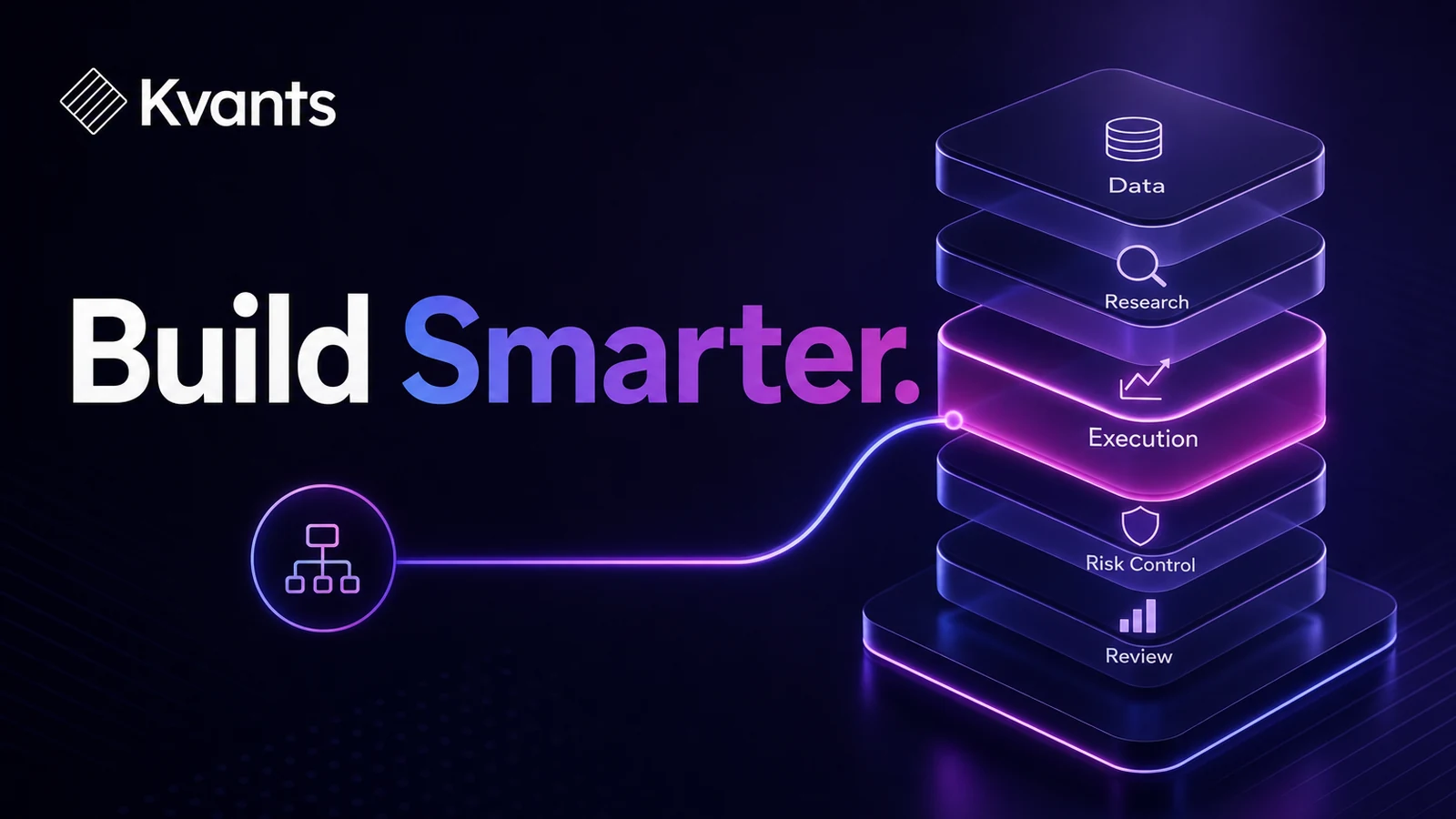
A useful stack separates five layers:
- Data: Supplies historical and current market information.
- Research: Converts an idea into rules and evaluates those rules.
- Decision support: Presents charts, scans, alerts, or other information used before a trade.
- Execution and risk: Sends orders and displays positions, balances, and broker-level risk information.
- Review: Preserves trades, decisions, mistakes, and results for later analysis.
Some platforms combine several layers. That can simplify the workflow, but bundled features are not automatically equivalent. A broker's chart may be sufficient for order placement yet lack the historical data or testing controls needed for serious research.
| Software layer | Best For | Main Limitation |
|---|---|---|
| Market data | Historical research and monitoring current prices | Coverage, adjustments, latency, and licensing vary |
| Strategy research | Formalizing rules, backtesting, and validation | Results depend on data and realistic assumptions |
| Charts, screeners, and alerts | Finding candidates and supporting live decisions | Visual signals can remain subjective or difficult to reproduce |
| Broker or exchange platform | Orders, positions, and account-level controls | Research and review features may be limited |
| Journal or review system | Measuring execution and identifying recurring behavior | Poor tagging or incomplete notes produce weak conclusions |
There is no universal winner among these categories because they perform different jobs. The goal is complete coverage with as little duplication as practical.
A strategy laid out end to end in the Kvants editor.
Step-by-Step Software Selection Workflow
1. Define the strategy before choosing tools
Write down the market, instruments, holding period, decision frequency, and order types you expect to use. A stock swing trader working from daily bars has different requirements from a crypto trader managing positions around the clock.
Also decide whether the strategy is discretionary, systematic, or hybrid. A discretionary trader may prioritize chart layout and rapid note-taking. A systematic trader needs reproducible rules, historical data, execution modeling, and controlled validation.
If you cannot describe the intended workflow, feature comparisons will encourage unnecessary purchases.
2. Map each decision from idea to review
List every step required to complete one trade cycle:
- Where does the initial idea come from?
- What data confirms or rejects it?
- How are entry, exit, and sizing rules tested?
- Where is the order submitted?
- Which system is authoritative for fills and positions?
- How is the trade reviewed afterward?
Assign one primary tool to each step. A second tool should exist only for a clear reason, such as independent data verification or specialized testing.
3. Check market and data compatibility
Confirm that the software supports the instruments, venues, sessions, and bar intervals you need. For stock research, determine how splits, dividends, delistings, and session boundaries are handled. For crypto, check exchange coverage, continuous trading conventions, and symbol history.
Data quality is not a cosmetic issue. Missing instruments, inconsistent timestamps, or improperly adjusted prices can materially change research results.
4. Inspect the handoffs
Every transition between tools creates an opportunity for error. A scanner may use one session definition while a chart uses another. A backtest may assume an entry at the closing price even though the live order cannot be placed until the next event. A journal may record only net profit and omit partial fills or costs.
Document what passes between each layer: symbols, timestamps, signals, order instructions, fills, and notes. Prefer exports or integrations that preserve those fields, but verify the result rather than assuming two systems interpret them identically.
5. Test the workflow with simulation
Run the complete process before committing meaningful capital. Generate the setup, evaluate it, create the intended order, record the simulated fill, and complete the review.
This is not only a strategy test. It is an operational test. Look for delayed data, unsupported order types, timezone errors, accidental duplicate orders, and manual steps that are easy to forget.
6. Review cost and redundancy
Calculate the full recurring cost of data, platform access, research tools, execution, and record-keeping. Then mark every duplicated function.
Duplication is justified when it provides independent verification or a capability you actively use. It is wasteful when two subscriptions offer similar charts, scanners, and alerts but neither addresses a real limitation in your process.
Configuring a backtest in Kvants Studio.
Worked Example: A Minimal Swing-Trading Stack
Consider a trader researching liquid stocks with daily bars and holding positions for several days.
The workflow might be:
- Use a data and screening service to create a daily candidate list.
- Express the setup as explicit conditions, such as trend direction, minimum liquidity, entry timing, stop placement, and exit rules.
- Backtest those conditions with trading costs and next-event execution assumptions.
- Validate the strategy across unseen periods and difficult market regimes.
- Submit accepted trades through a regulated broker platform.
- Record the fill, planned risk, rule adherence, and reason for exit in a review system.
This trader may need only four applications if screening and charting are combined. Adding a second charting package would make sense only if it offered a required data set or decision tool absent from the first.
The example also shows why software cannot rescue an incomplete strategy. If “strong trend” or “good volume” is never defined, the test and the live decision may use different standards.
The Kvants trading terminal and market co-pilot.
Where Kvants Fits
Kvants Studio is designed for the strategy-research layer rather than acting as a broker, exchange, or universal market terminal. It turns plain-English trading ideas into editable, auditable strategy logic.
Traders can use Kvants to run event-driven backtests on NautilusTrader's engine, perform parameter sweeps, apply walk-forward and crisis-stress validation, and move toward controlled paper or live workflows. Pine Script v6 export is available when a strategy needs to move into a compatible charting environment.
A practical use is to take a visually described setup and resolve its ambiguities before execution. Instead of “buy a strong breakout,” define the lookback, breakout threshold, volume condition, order timing, stop, exit, and trading-cost assumptions. The resulting logic can then be inspected and tested rather than treated as a black-box signal.
The Kvants documentation explains the prompting, strategy logic, and export workflow. Kvants does not replace the need to assess your data source, broker, execution controls, or review process.
Common Trading Software Failure Modes
Buying tools before defining the workflow
Feature-rich software feels productive, but it can create a process built around available indicators rather than a coherent trading hypothesis. Define the job first and evaluate the tool second.
Assuming all price data is interchangeable
Two platforms can produce different bars because of session settings, venue coverage, corporate-action treatment, or timestamp conventions. Investigate discrepancies before trusting a test or signal.
Treating a chart signal as a tested rule
A setup that appears obvious in hindsight may depend on subjective interpretation. Formalize the condition and include cases where it failed, not only attractive examples.
Ignoring execution assumptions
A research platform can generate a signal without proving that the modeled fill was available. Check whether orders are evaluated at the bar close, next open, intrabar, or after another market event.
Creating multiple sources of truth
If the broker, spreadsheet, journal, and chart all show different position information, errors become difficult to diagnose. Designate the broker or exchange record as authoritative for actual fills and reconcile other systems against it.
Adding software instead of fixing discipline
A new alert service does not solve overtrading, inconsistent sizing, or ignored exits. Separate missing capability from failure to follow an existing process.
Frequently Asked Questions
What software does a beginner trader need?
At minimum, a beginner needs reliable market information, a broker or exchange platform suitable for the instruments being traded, and a simple method for recording decisions and fills. Strategy-testing software becomes important before relying on repeatable rule-based claims. Avoid expanding the stack until the basic workflow is understood.
Can one platform handle the entire trading workflow?
Some platforms cover data, charts, orders, and basic review. That may be sufficient for a simple process. However, deeper historical testing, specialized data, or structured validation may require separate software. Evaluate the quality of each layer rather than counting bundled features.
Do discretionary traders need backtesting software?
Not always in the same way as fully systematic traders, but they still need evidence. Discretionary setups can often be converted into observable rules or reviewed through structured replay and tagged samples. If a decision cannot be defined consistently, any performance claim should be treated cautiously.
Should charting and execution use the same data source?
Not necessarily, but differences must be understood. Compare symbols, sessions, timestamps, and prices before trading. The execution venue's records remain authoritative for actual orders and fills.
When should I add another trading tool?
Add one when you can name a specific unresolved problem, explain why the current stack cannot solve it, and define how the new tool's value will be evaluated. Convenience alone may be worthwhile, but it should be weighed against cost, complexity, and another potential point of failure.
Risk Note
This article is educational and is not investment advice. Trading involves risk, including the possible loss of capital. Software output is only as reliable as its data, logic, and assumptions. Backtested performance does not guarantee future results, and simulated fills may differ materially from live execution. Independently evaluate platforms, brokers, data providers, and risk controls before trading.