Build a trading bot risk management framework for position sizing, exposure limits, bad data, order failures, drawdowns, kill switches, and live monitoring.
Quick Answer
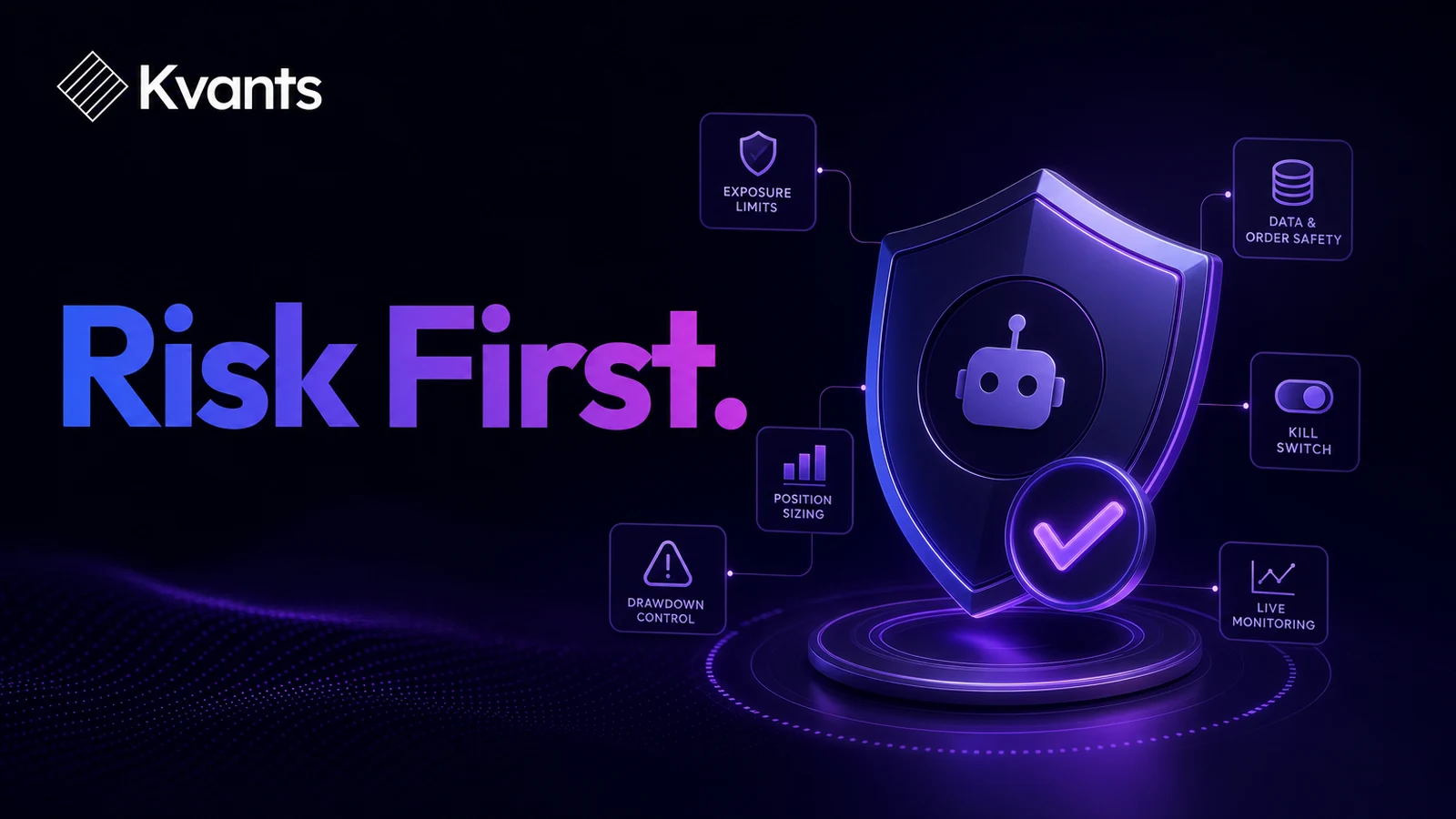
Trading bot risk management requires several independent controls: risk per trade, total exposure, loss limits, data checks, order safeguards, account reconciliation, and a kill switch. A stop-loss by itself is insufficient because gaps, slippage, rejected orders, stale data, and duplicate orders can create losses outside the strategy’s intended behavior. Before live use, test both the trading rules and the bot’s response to abnormal conditions. No control can eliminate market or software risk, so live exposure should remain small enough to tolerate an unexpected failure.
Key Takeaways
- Set separate limits for each trade, strategy, market, account, and trading day.
- Treat data, order handling, and account state as risk variables—not just technical details.
- Define exactly when the bot must stop opening positions and when it must flatten existing ones.
- Test rejected orders, partial fills, disconnections, gaps, and stale prices before live deployment.
- Require paper-trading evidence and account reconciliation before increasing size.
- Change one strategy version at a time and preserve an audit trail of every revision.
What Trading Bot Risk Management Must Control
A bot can follow its programmed rules perfectly and still lose money. That may happen because the strategy has no durable edge, market conditions change, execution costs exceed assumptions, or losses arrive in an unfavorable sequence.
A bot can also depart from its intended rules. It might process an old price, submit the same order twice, lose track of a partial fill, or reconnect without recognizing an existing position.
A complete framework therefore covers four risk layers:
- Strategy risk: The trading premise may be weak, overfit, or unsuitable for the current market.
- Market risk: Prices can gap through exits, volatility can expand, and correlated positions can move together.
- Execution risk: Orders can be delayed, rejected, partially filled, or completed at worse prices than expected.
- Operational risk: Data feeds, network connections, broker interfaces, software, or account-state records can fail.
Controls should overlap. If the position-sizing rule fails, an account exposure cap should still restrict the damage. If both fail, a broker-side or account-level limit may provide another barrier.
Running equities strategies through Alpaca on Kvants.
A Step-by-Step Trading Bot Risk Management Workflow
1. Freeze the permitted trading scope
Specify which symbols, sessions, order types, directions, and timeframes the bot may use. Reject any order outside that scope.
This prevents a symbol-mapping error or configuration mistake from becoming an unintended position. The scope should also define behavior around market closures, thin trading periods, corporate actions, and scheduled interruptions relevant to the chosen market.
2. Size every position from predefined risk
Position size should be calculated before entry from the account risk budget and the strategy’s invalidation point. A basic model is:
Position size = permitted monetary risk / risk per unit
If permitted risk is $50 and the planned entry-to-stop distance is $0.25, the initial size is 200 units before accounting for fees, slippage, gaps, or instrument-specific constraints.
Add a maximum size independent of the formula. Otherwise, an unusually tight stop can produce an unreasonably large position.
3. Cap combined exposure
Per-trade risk does not capture the danger of several positions moving together. Set limits for:
- Total open risk
- Gross and net exposure
- Number of concurrent positions
- Exposure to one symbol or market
- Exposure to correlated positions
- Aggregate pending orders
The bot should count open positions and working orders. Ignoring pending orders can allow multiple entries to trigger at once and exceed the intended limit.
4. Define loss limits and shutdown states
Create explicit thresholds for stopping new entries. These may include a session loss limit, strategy drawdown limit, consecutive execution-error limit, or abnormal-slippage threshold.
Distinguish between two responses:
- Pause entries: Keep managing existing positions but block new ones.
- Emergency shutdown: Cancel working orders and close positions according to a predefined procedure.
Emergency liquidation is not always the least risky action. During illiquid or disorderly conditions, immediate market orders can produce severe slippage. Define the shutdown procedure in advance rather than improvising during a fault.
5. Validate data before acting
A valid-looking number can still be stale or incomplete. Before generating a signal, the bot should verify that required data arrived on time, timestamps are ordered, fields are present, and prices fall within basic sanity bounds.
When data is missing or stale, the safest default is usually to reject new signals. Existing positions still need a separate management policy because simply freezing the whole process may leave risk unattended.
6. Make order handling state-aware
The bot must know whether an order is pending, accepted, rejected, partially filled, filled, canceled, or replaced. It should not assume that sending an order means the order executed.
Retry logic deserves particular care. Repeating an order after a delayed response can create a duplicate position. Each retry should first establish the broker’s recorded order and position state.
7. Reconcile the account
Compare the bot’s internal records with the broker’s record of positions, orders, cash, and fills. Reconcile at startup, after reconnecting, after unusual order events, and at regular intervals.
If the two states disagree, block new entries until the discrepancy is resolved. Continuing to trade from an incorrect internal position is a common path to accidental overexposure.
8. Control strategy changes
Record the strategy version, parameters, data assumptions, and deployment date. A modified parameter set is a new research candidate, not a harmless adjustment.
Retest material changes before they reach a live account. Avoid modifying several components simultaneously, because doing so makes it difficult to identify which change altered performance or behavior.
Deploying a strategy to paper or live with a pre-flight gate.
Worked Example: Building a Bot Risk Budget
Assume a hypothetical $25,000 account running one intraday strategy. The trader chooses these illustrative limits:
- Risk per trade: 0.25% of equity, or $62.50
- Maximum total open risk: 0.50%, or $125
- Session loss limit: 0.75%, or $187.50
- Maximum concurrent positions: two
- Maximum permitted order size: 300 units
The next signal has an entry at $40.00 and a protective stop at $39.75. The planned risk is $0.25 per unit, so the initial calculation permits 250 units:
$62.50 / $0.25 = 250 units
Before submitting the order, the bot checks existing exposure. If another open position already carries $80 of planned risk, only $45 remains under the $125 total cap. The new position must therefore be reduced to 180 units or rejected.
If realized session losses have reached $187.50, the bot blocks the entry regardless of how attractive the signal appears. If a position gaps past its stop and the session loss exceeds the threshold, the threshold still prevents additional entries; it does not retroactively cap the gap loss.
These values are examples, not recommended settings. Appropriate limits depend on the instrument, liquidity, strategy distribution, account constraints, and the trader’s ability to absorb loss.
Failure Modes to Test Before Live Trading
A normal backtest rarely reveals every operational failure. Test at least these scenarios deliberately:
- Duplicate signal: The same market event is received twice.
- Partial fill: Only part of the requested position executes.
- Rejected protective order: The entry fills, but the stop order does not.
- Disconnect after submission: The connection drops before order status is confirmed.
- Restart with an open position: The bot starts while the account already holds exposure.
- Stale data: The feed stops updating while the connection appears active.
- Price gap: The market trades beyond the intended stop.
- Cost spike: Spread or slippage becomes materially worse than the research assumption.
- Correlated entries: Several apparently separate signals create one concentrated market bet.
For each event, document the expected state, permitted action, alert, and recovery procedure. “The bot should handle it” is not a testable requirement.
How to Validate the Controls
Start with event-driven backtesting so fills, order states, and sequencing are represented more realistically than a simple bar-level calculation. Include commissions, spread, slippage assumptions, and ambiguous intrabar cases.
Next, run parameter sweeps to determine whether results depend on one narrow setting. Use walk-forward analysis to evaluate the rules on periods not used for the latest adjustment, and test stressful historical regimes relevant to the market.
Paper trade the exact strategy version intended for live use. Confirm that signals, quantities, orders, fills, exits, and account records reconcile. Paper execution cannot fully reproduce live liquidity, queue position, or market impact, but it can expose many logic and integration errors.
Kvants Studio can turn a plain-English trading idea into editable, auditable logic and test it on NautilusTrader’s event-driven engine. It also supports parameter sweeps, walk-forward and crisis-stress validation, and controlled paper and live workflows. The Kvants documentation provides additional guidance on strategy logic and testing.
Regardless of tooling, begin live trading with limited exposure. Increase size only after the bot behaves as specified across ordinary trades, losses, restarts, and execution exceptions.
A strategy laid out end to end in the Kvants editor.
Frequently Asked Questions
Is a stop-loss enough to control a trading bot?
No. A stop-loss addresses one part of market risk. It does not prevent oversized positions, correlated exposure, duplicate orders, stale signals, rejected exits, gaps, or software failures. Use layered controls that remain effective when another control fails.
What is a trading bot kill switch?
A kill switch is a predefined mechanism for stopping some or all trading activity when specified conditions occur. It may block new entries, cancel pending orders, or initiate a controlled position exit. Its trigger conditions and recovery process should be documented and tested.
How long should I paper trade a bot?
There is no universally sufficient duration. The test should cover enough signals and operating conditions to observe entries, exits, losses, order exceptions, restarts, and reconciliation. A long period with very few trades may provide less evidence than a shorter period with a representative sample.
Should a bot stop after several consecutive losses?
Only if that rule is defined and tested. A losing streak can be ordinary variance, while an unexpected execution pattern may indicate a fault. Separate statistical loss limits from operational shutdown triggers, and avoid adding rules solely because they would have improved a recent result.
Can backtesting detect operational failures?
It can test many order and sequencing assumptions, especially with an event-driven engine, but it cannot reproduce every broker, network, data, or live-liquidity failure. Backtesting, fault testing, paper trading, monitoring, and limited live exposure serve different purposes.
Risk Note
This article is educational and is not investment advice. Trading bots can lose money because of market moves, flawed logic, execution problems, or operational failures. Backtested performance does not guarantee future results.